
Know exactly where Sargha looks, and what it can find.
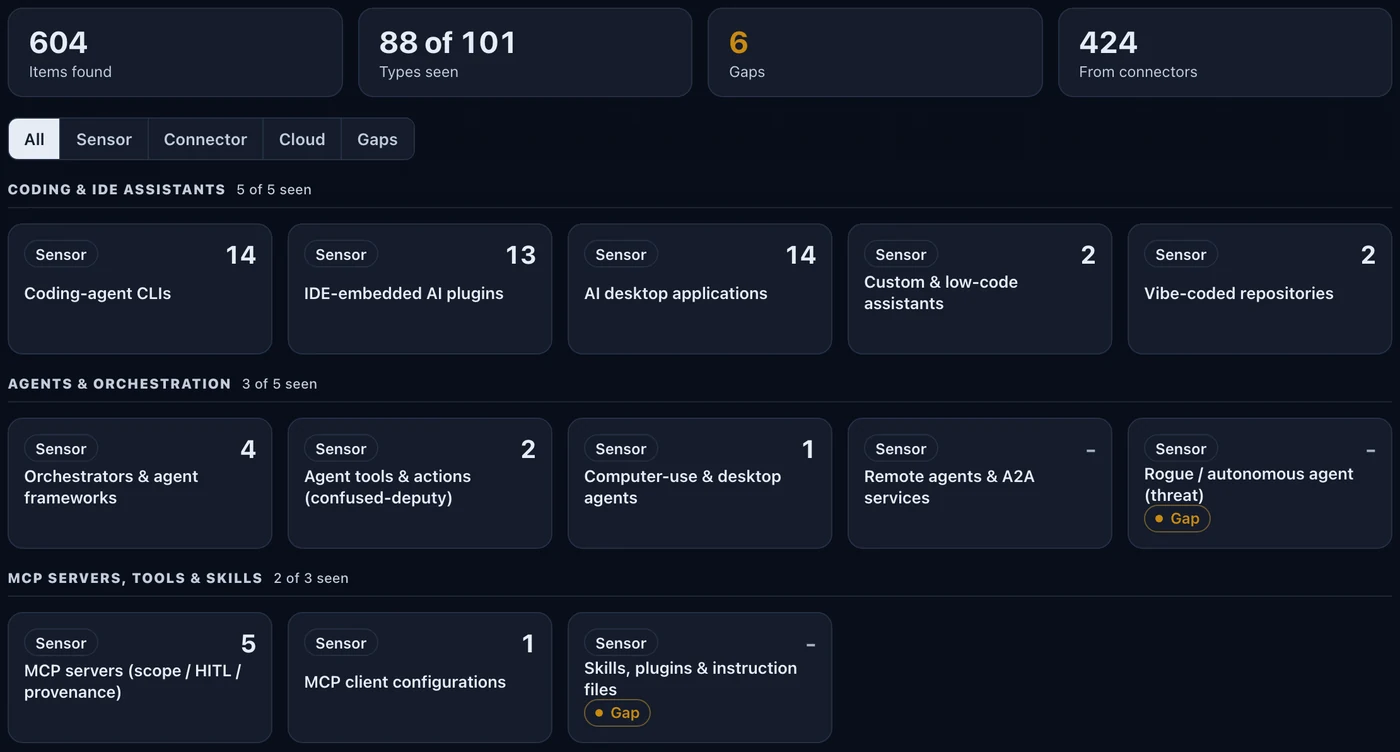
A sensor on machines that can run one, read-only connectors for everything else, and one inventory of 18 groups and 101 types of AI asset.
Endpoints and servers
Windows, Windows Server, macOS and Linux, from one self-contained program per system. The Windows client and server sensors are generally available. Roadmap Wider validated Windows editions and server roles are planned.
Cloud accounts
AWS, Google Cloud and Azure through read-only connectors that add identity, access and storage posture. Oracle Cloud is read for AI services only, in beta. Roadmap
Phones and tablets
AI apps read from your device-management inventory (Intune, Jamf, Workspace ONE). It is an inventory import, not an on-device agent.
Containers and Kubernetes
A container image and a Kubernetes node agent that observes only, plus an agentless cluster read through a read-only account. Virtual desktops (Azure Virtual Desktop, Citrix, Horizon) are not covered today.
The AI runtime stack
Retrieval pipelines, vector stores, orchestrators, tool and memory layers and model files, including in-house components.
Always current
Every asset is checked, kept current and compared with the last look, so you see what changed and what disappeared.
Eleven kinds of signal, where shadow AI actually hides.
Normalized into one inventory.
Step by step.
Choose how to look
Put the sensor where a machine can run one, and switch on connectors for everything else.
Merge into one inventory
Sensor and connector findings are matched and counted once, with gaps named.
Check what changed
Every asset is checked, kept current and compared with the last look.
Common questions.
Does the sensor read my files?
Can I see AI on personal phones?
What about virtual desktops?
- Your device-management tool for the sensor.
- Read-only accounts for each cloud or service you want connected.
The platform matrix, collection models, the full 101-type taxonomy and the signal classes are in the technical pack, shared with your team under NDA.
Request the demo and technical packSee the AI on your fleet in about a week.
Run the sensor across your estate and receive an AI risk report and an AI Bill of Materials. The assessment is free and carries no commitment.