
See how one AI misconfiguration becomes a path into your cloud.
Sargha joins what the sensor sees on a server with read-only cloud settings, so separate alerts become one prioritized path to the data.
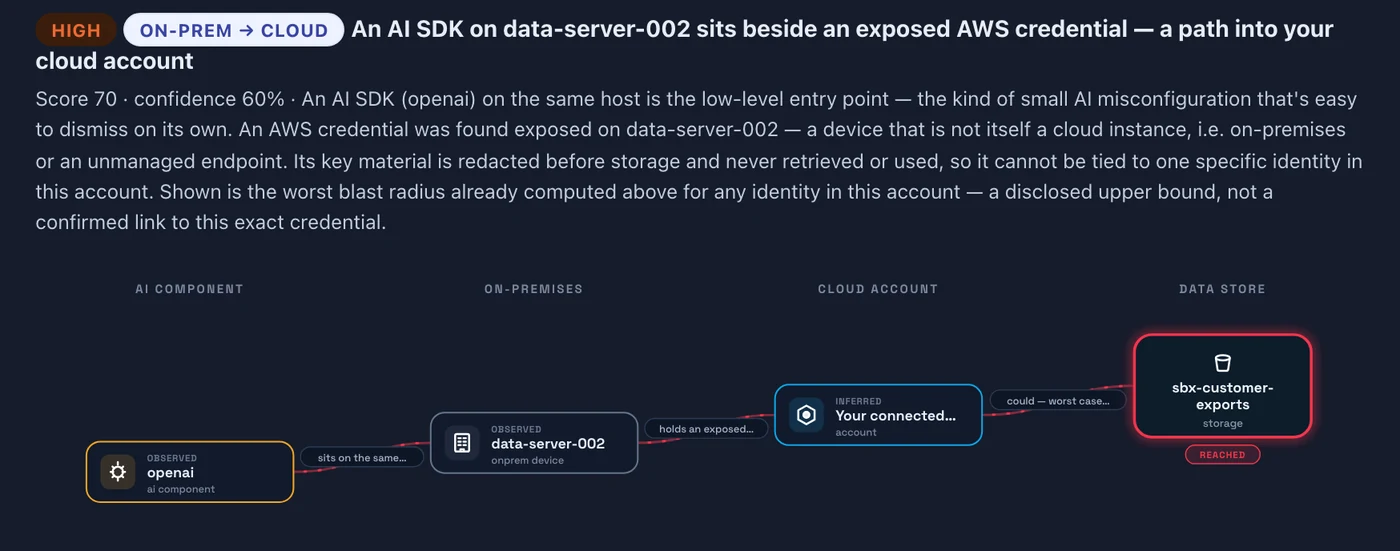
From on-premises into the cloud
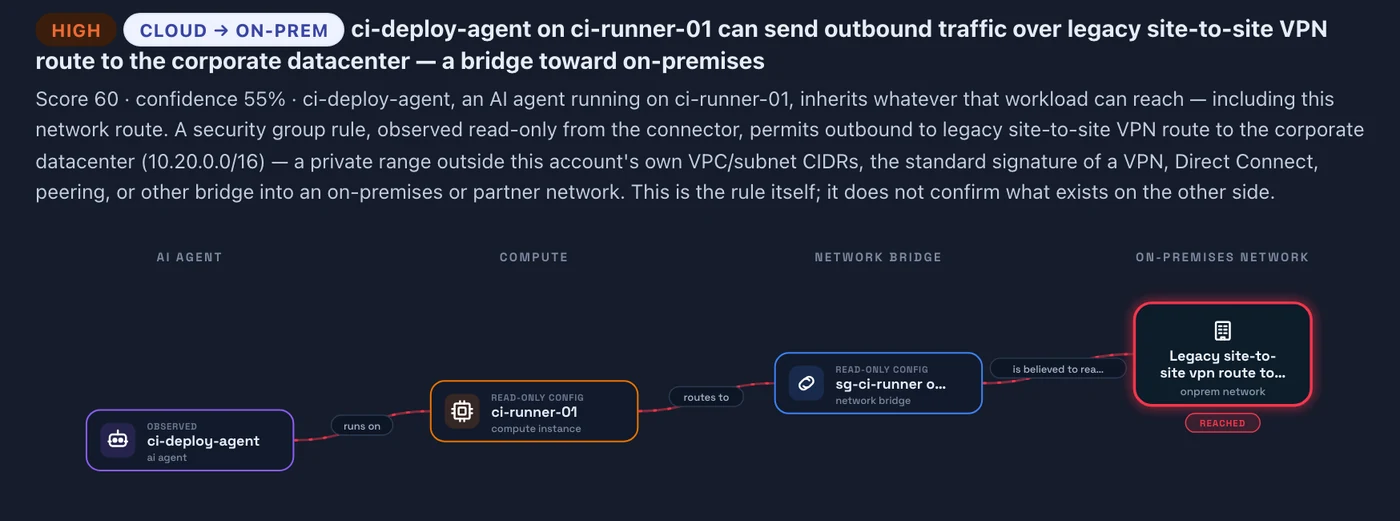
From the cloud into on-premises
From agent to data
An unattended agent, the cloud role its server runs as, and the storage that role can reach become one finding with a priority, not five alerts.
And back to your network
A cloud firewall rule that opens a route into a private range is shown as a path from the cloud agent back to on-premises systems.
From laptop to cloud
A cloud key found on the same machine as an AI tool shows the worst reach of any identity in the connected account. The key is never used.
Across the clouds you run
One risk model for AWS, Azure and Google Cloud, each read with a read-only account. Oracle Cloud is read for AI services only, in beta. Roadmap
Evidence you can act on
Every link carries its evidence, freshness and confidence. If a precondition is missing, the path is downgraded or closed. Fix the shortest link first, then verify it is closed.
Safe by design
Sargha models the chain and does not perform it. No credential is requested or kept, no object is opened and no exploit is run.
Limits, stated plainly
- BetaThe cloud connectors were built against provider interfaces and tested against recorded responses, not yet against a live customer account.
- Errs toward flaggingEffective access is an upper bound that errs on the side of flagging. Roadmap
- RoadmapAzure network rules and depth Roadmap, Google Cloud depth Roadmap, cloud metadata read from the host on Google Cloud and Azure Roadmap, and resolving an exposed key to the identity it grants Roadmap are planned.
Step by step.
The sensor finds the agent
On a cloud server it identifies the agent and what it is allowed to do.
Read-only cloud settings add the rest
The server's role and the storage that role can reach come from a read-only account you create.
You get one prioritized finding
Fix the shortest link first, then verify that the path is closed.
Common questions.
Does Sargha try the attack?
Which clouds are covered?
- The sensor on the cloud servers you want to see (Linux or Windows Server).
- A read-only account in each cloud, which you create and can revoke.
Per-cloud coverage, finding fields and the safety design are in the technical pack, shared with your team under NDA.
Request the demo and technical packSee the AI on your fleet in about a week.
Run the sensor across your estate and receive an AI risk report and an AI Bill of Materials. The assessment is free and carries no commitment.