
Know which of your data your AI can reach, and what we collect about it.
Sargha maps each AI agent and identity to the data stores its permissions allow, and keeps what it collects to a short, plain list.
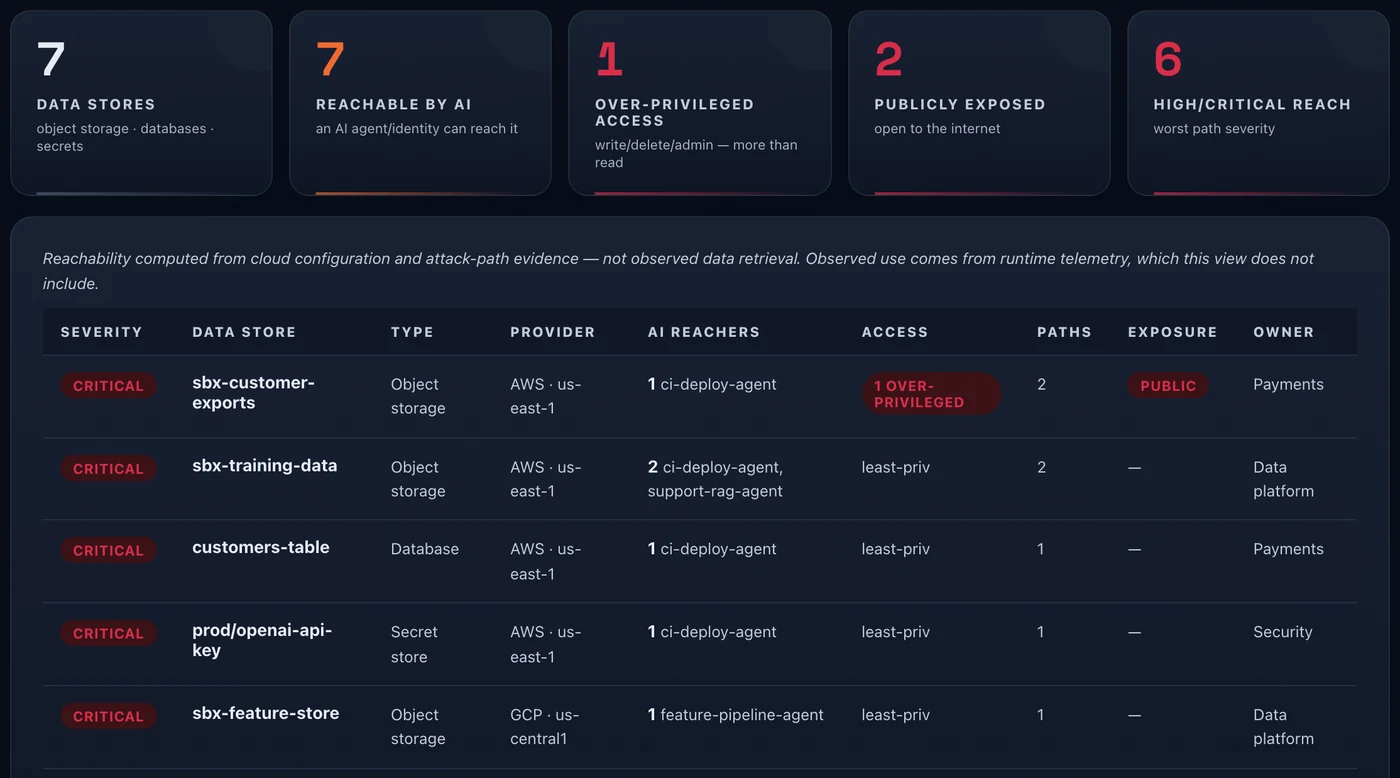
Which data stores AI can reach
Who can reach one store, and why
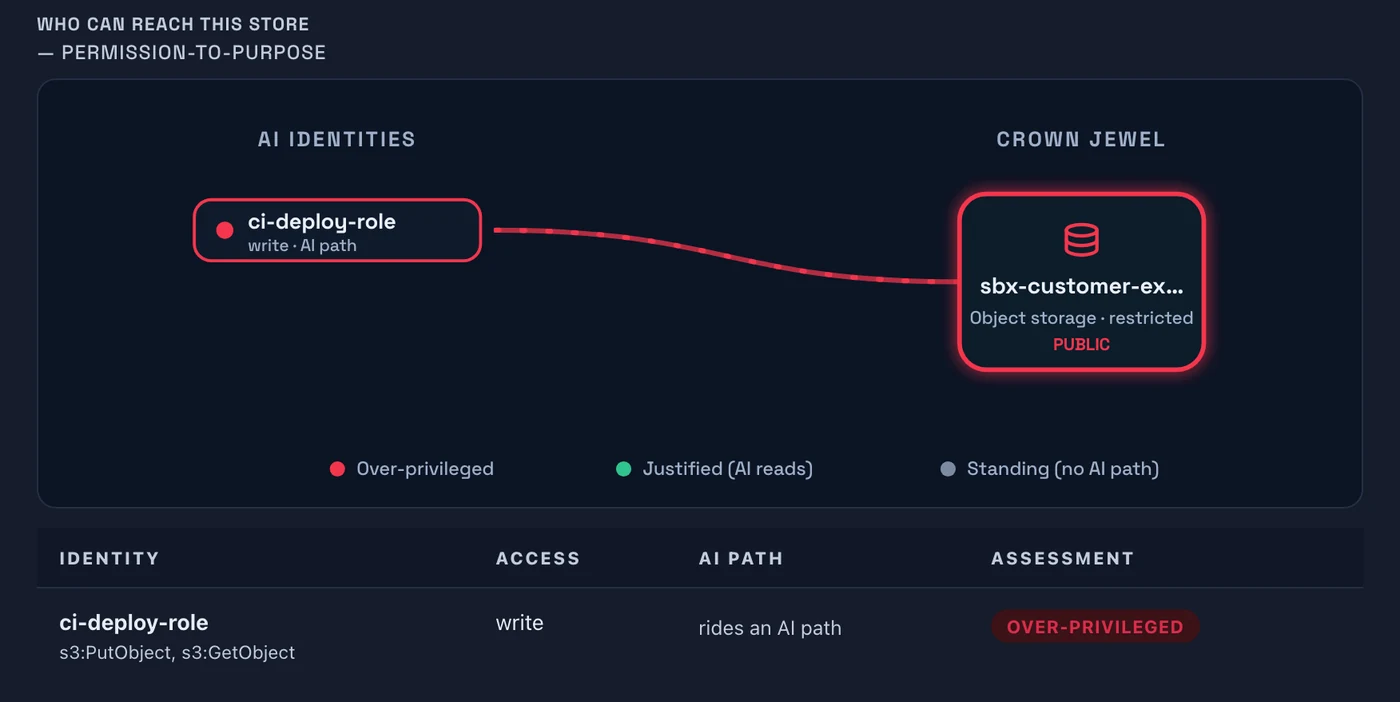
See reach per store
For each data store, which AI identities can reach it and over how many paths, and whether the access is over-privileged or public. Store contents are never read.
Secrets stay secret
A provider name, a masked start of the key and its length, never the usable value.
No prompts by default
Prompt, response, clipboard, keystroke, screenshot and file-content collection is off. Optional content inspection is a separate path you control: the browser extension checks submitted text in memory and does not store it.
Policy is explicit
Tenant policy controls what is kept and for how long.
Export is governed
Approved fields only, to destinations you set, with every export audited. A per-tenant allow-list limits where exports can go.
Your model boundary is your choice
Scoring is deterministic and always available. Optional reasoning uses the model and region you approve. Managed tenants run in AWS us-east-1 today. Roadmap Regional data planes are planned.
Step by step.
Connect read-only cloud accounts
Sargha reads configuration and permissions, not the contents of your stores.
See reach per store
Each store shows which AI identities can reach it and how many paths lead there.
Narrow the broad ones
Start with over-privileged and public access, and record the decision.
Common questions.
Does Sargha read my data?
Where is data kept?
Where does reasoning run?
How long is data kept?
Can content be inspected?
- Read-only cloud connectors for the accounts you want mapped.
The field-level data dictionary (collected, transformed and excluded), the five processing boundaries and retention controls are in the technical pack, shared with your team under NDA.
Request the demo and technical packSee the AI on your fleet in about a week.
Run the sensor across your estate and receive an AI risk report and an AI Bill of Materials. The assessment is free and carries no commitment.