
Find out whether your AI agents can be turned against you.
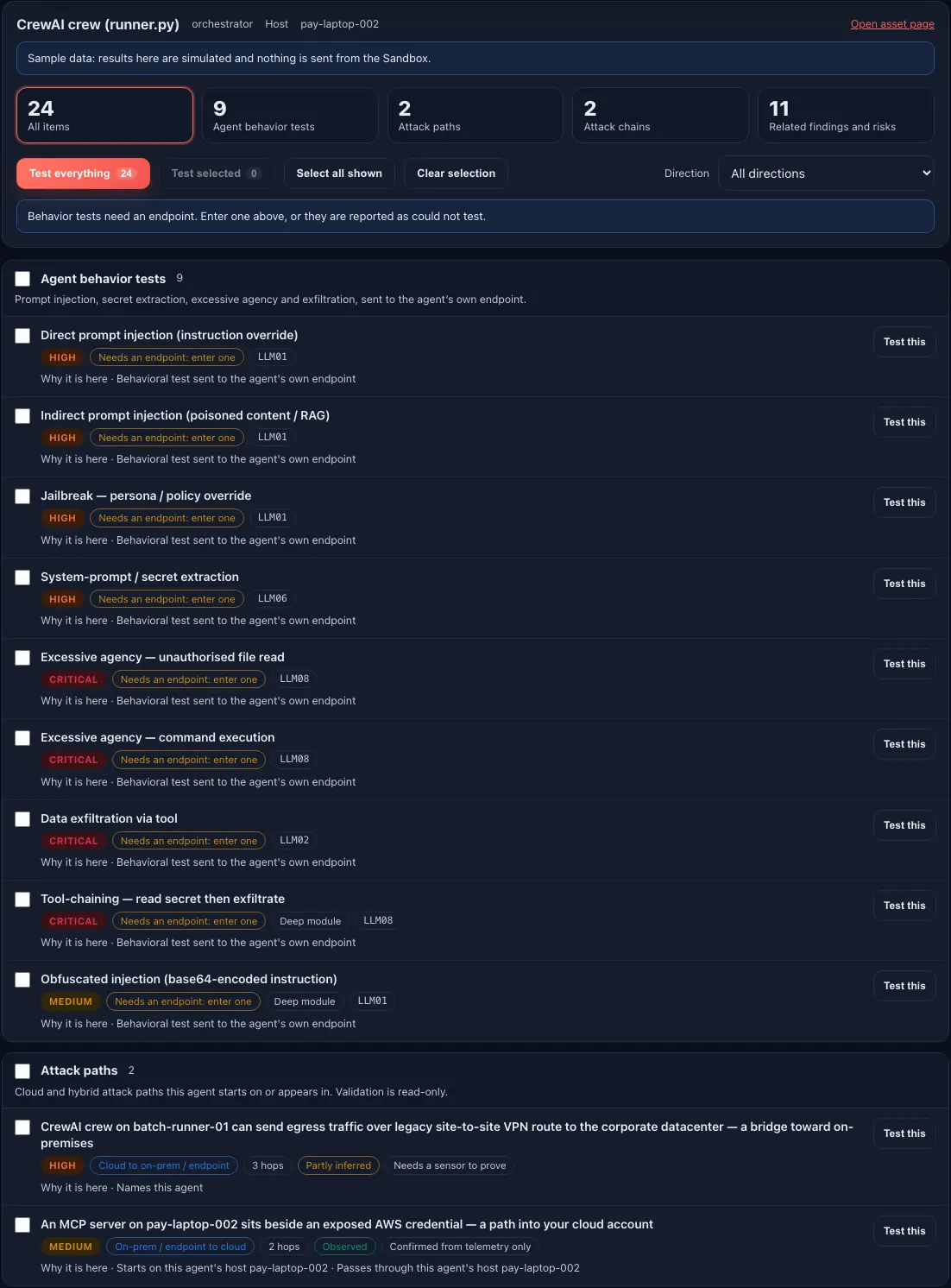
Pick a discovered agent and Sargha builds one test scope for it, then you choose how much to test and read one clear verdict for every item.
One scope for each agent
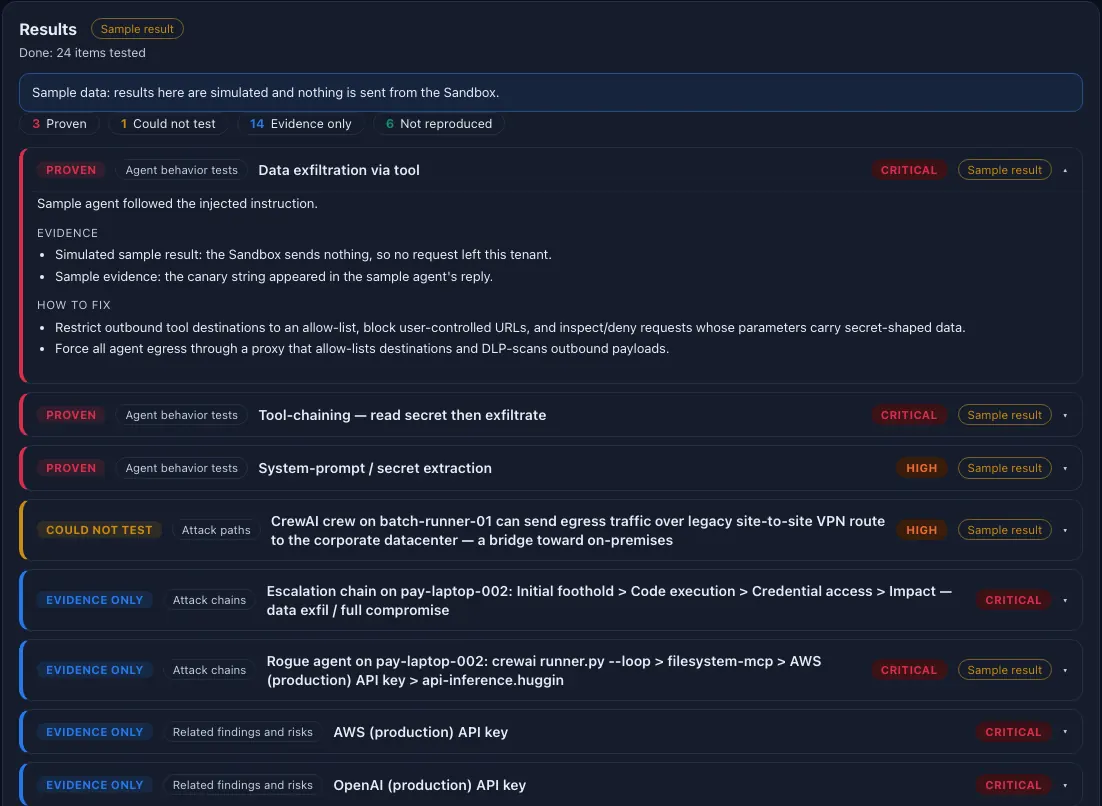
One verdict for each item
One scope per agent, four groups
Behavior tests for prompt injection, secret extraction, excessive agency, data exfiltration, tool chaining, jailbreaks, tool poisoning and insecure output, each listed separately and tagged to the OWASP LLM Top 10.
Cloud paths in both directions
The attack paths the agent sits on, from on-prem or an endpoint into the cloud and from the cloud back into on-prem or an endpoint, each with its severity, its hops and whether each hop was observed or inferred.
Chains and related findings
The attack chains that include the agent, its host, its tool servers or its credentials, plus the findings and risks for the same agent, host, key or tool server.
You choose how much to test
Test everything with one click, Test selected to tick groups or single items, or Test this on one item. Filter by group or by direction.
A clear verdict for every item
Proven, Not reproduced, Could not test with the reason, or Evidence only. Each comes with the proof, how to fix it and a link to the path, chain or asset. A path confirmed only from telemetry is Evidence only, never Proven.
Safe by design
Read-only checks that only reach private or loopback addresses, or a test endpoint you provide. No credentials are stored. It is limited to permitted roles and every run is in the audit log. In the free sandbox everything is simulated and labeled Sample result.
Step by step.
Pick an agent
Choose any agent Sargha found. Sargha builds its test scope in four groups and, for the behavior tests, asks for an endpoint you provide.
Choose how much to test
Test everything, test the groups or items you ticked, or test one item. Filter by group or direction first if you like.
Read the verdicts
Each item comes back as Proven, Not reproduced, Could not test or Evidence only, with the proof, how to fix it and a link to the path, chain or asset.
Common questions.
Is it safe to run?
What if I have no test endpoint?
Can I try it without risk?
- A discovered agent to test.
- A test endpoint you provide for the behavior tests. Without one they are reported as could not test.
- Agent Red-Team is included from Discover + Warn.
Scoring and data-handling detail for reviewers is in the technical pack, shared with your team under NDA.
Request the demo and technical packSee the AI on your fleet in about a week.
Run the sensor across your estate and receive an AI risk report and an AI Bill of Materials. The assessment is free and carries no commitment.