
1
Start with one overview
Posture, machines reporting, the biggest risks and how findings move from discovery to action, on one screen. It is where a security lead starts the day.
How the control loop worksA two-minute walk through what Sargha does, one outcome at a time.
Posture, machines reporting, the biggest risks and how findings move from discovery to action, on one screen. It is where a security lead starts the day.
How the control loop worksEvery agent, tool server, key, SDK and extension found, by category and severity. Mark each finding as real or a false alarm.
What Sargha findsA device, an unattended agent, a tool server and a live key, with each step explained in plain language.
Attack paths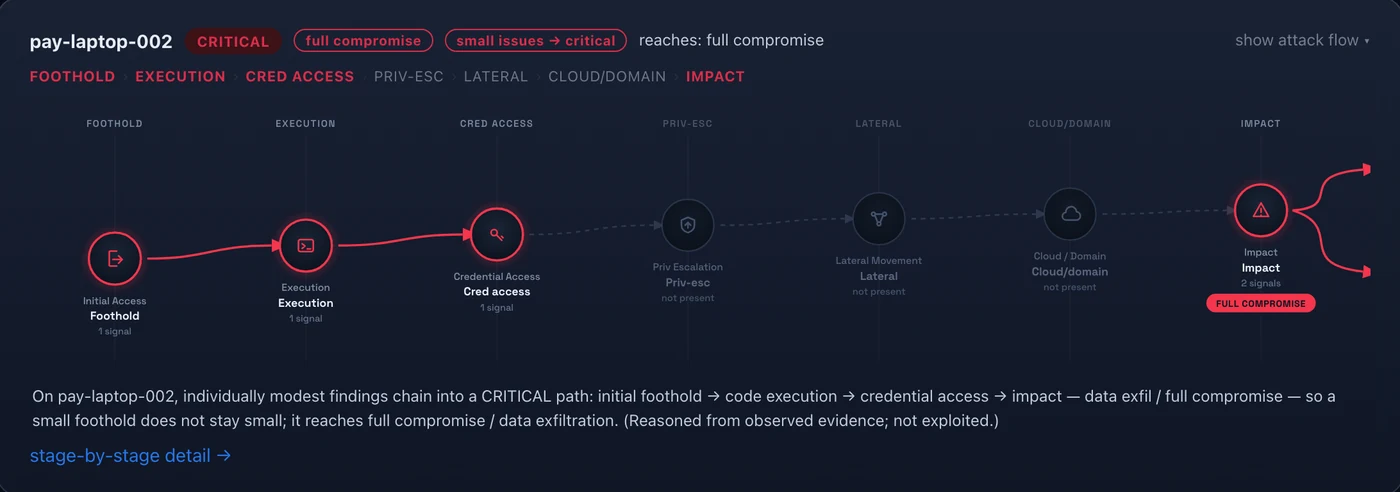
An AI agent on a cloud workload, traced through compute and identity to the data store it can reach. Export the evidence.
Cloud attack pathsWhich data stores AI can reach, through which identities, and whether that access is justified.
Data inventory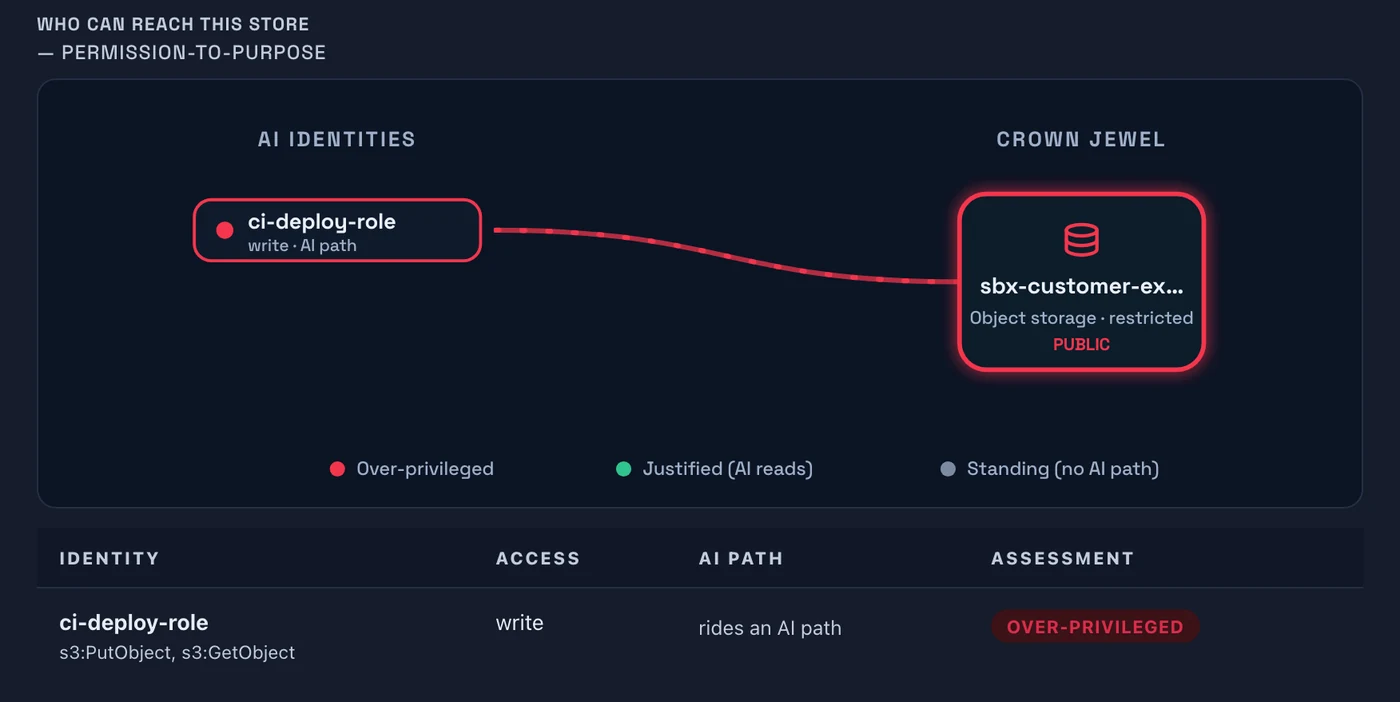
Agents and keys as principals with owners, flagged when orphaned or too broad. Filter to the governance risks first.
Machine identitiesFindings roll up to the leaders and teams who own them, so each leader sees their own issues. Raise one ticket for the owner, not a thousand for everyone.
Ownership and routingPick a discovered agent and Sargha builds one test scope: its behavior tests, attack paths, chains and related findings. Test it all or one item and read a clear verdict for each.
Agent Red-TeamCoverage for the EU AI Act, NIST AI RMF, ISO 42001 and more, mapped from your open risks. This is control mapping and evidence, not a certification.
AI governanceConnect Claude, Cursor or Codex and ask about posture in plain language. The tools are read-only, per user and revocable.
AI assistant accessCollection details, schedules and data handling are in the technical pack, shared with your team under NDA.
Request the demo and technical packRun the sensor across your estate and receive an AI risk report and an AI Bill of Materials. The assessment is free and carries no commitment.