
Hand each leader their own issues, not a thousand tickets.
Sargha groups findings by team, gives each group to the leader who owns it, and they assign down to the person who uses the machine.
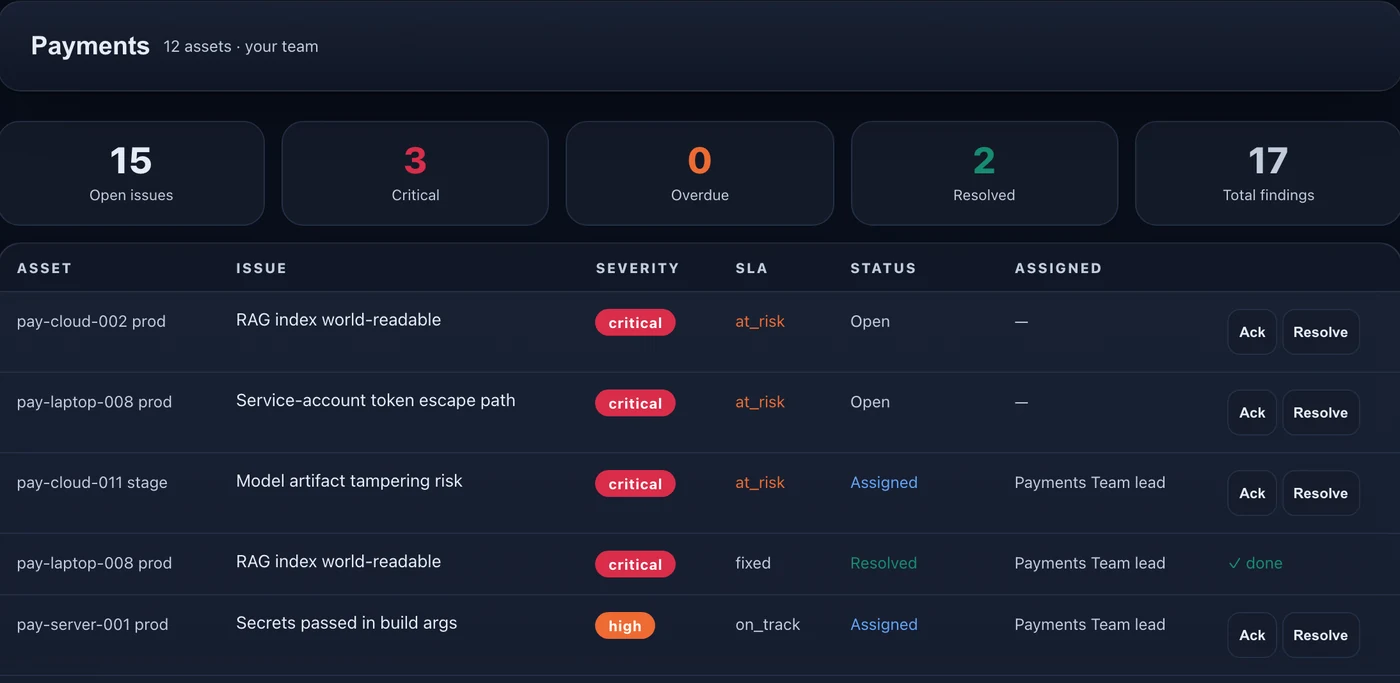
Delegation, not ticketing
A security team cannot hand each finding to the right person across thousands of assets. Grouping by project and handing the group to a leader moves the queue.
Leadership logs in and sees
A CISO sees every team and project. A director sees only what reports to them. Nobody is sent a report, and nothing is configured per person.
Your directory builds the org
Leaders, projects and endpoint users come from your identity provider through SSO and SCIM. Map each group to a project and a role once.
A fallback if you have no feed
A manual editor and a CSV import build the same leaders, projects and assignments.
Honest about maturity
Grouping, assigning to leaders, the actionable worklist and role-based views are generally available, as is live directory sync. SSO, SCIM and directory sync come with Discover + Warn + Block; other editions use the editor and CSV import. Roadmap More directory sources are planned.
Step by step.
Your directory arrives
People, managers and groups come from your identity provider through SSO and SCIM.
Map once
Match each directory group to a project and a role, one time.
Groups are routed
Each group of findings goes to its leader, who assigns down to the person who uses the endpoint.
Common questions.
Do we need to maintain an org chart in Sargha?
What if we have no directory feed?
Can a CISO see everything?
Does this replace Jira?
Which plan has directory sync?
- An identity provider with groups, or a CSV of leaders and projects.
Identity and ticketing integration detail is in the technical pack, shared with your team under NDA.
Request the demo and technical packSee the AI on your fleet in about a week.
Run the sensor across your estate and receive an AI risk report and an AI Bill of Materials. The assessment is free and carries no commitment.