
Say yes to AI on purpose: ask, check, decide.
Anyone can ask for a tool, Sargha runs the checks it can, and a different person decides with those checks in front of them.
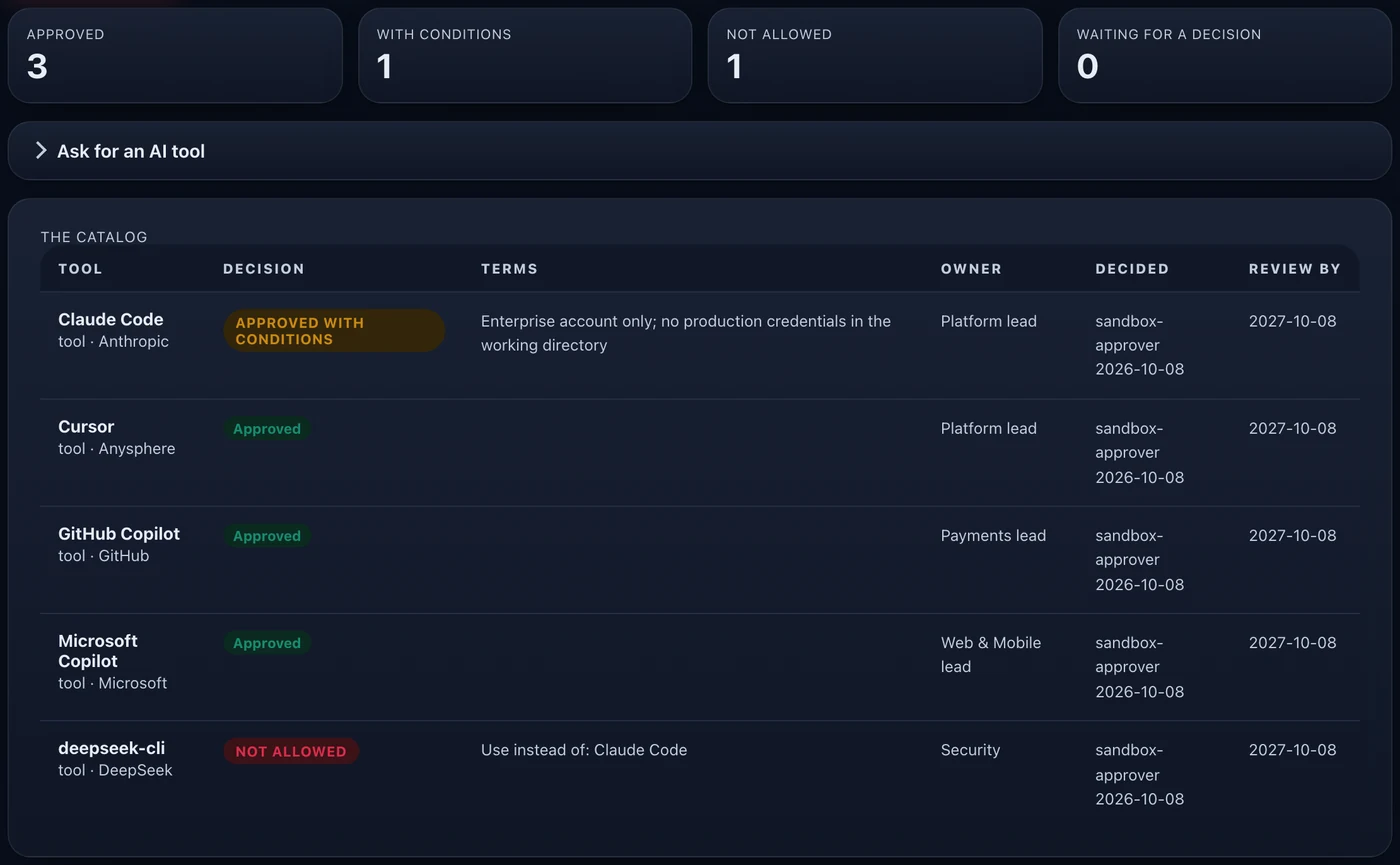
One list of what you decided
Approved, approved with conditions (for example internal data only), not allowed, or waiting. Each entry has an owner and a review-by date.
Checks that help, not decide
Sargha runs automatic checks and shows the results. A clear problem is flagged, and a person still records the decision.
Nobody approves their own request
A different person decides. Requests can be sent back for more information.
Never just no
An entry can name approved alternatives, so the answer points to something people can use.
Shows up where the question is asked
A finding for an unapproved tool says what to use instead. Approving or denying updates the lists sensors use: warn by default, block where you have switched enforcement on. Each entry has a review-by date, and a review queue returns it to its owner when the date passes.
Common questions.
Who can ask for a tool?
Can the checks block something on their own?
What does an entry look like?
What happens after a decision?
Can a request be sent back?
Where do people see the answer?
- A console account for anyone who will ask, and an administrator to decide.
Policy, enforcement modes and data-handling detail are in the technical pack, shared with your team under NDA.
Request the demo and technical packSee the AI on your fleet in about a week.
Run the sensor across your estate and receive an AI risk report and an AI Bill of Materials. The assessment is free and carries no commitment.